Nabeyond ltd t/a CartDNA is a CartDNA is a Shopify Payment App Development Partner
Dropshippers selling mid-range to premium products face a brutal conversion barrier: price shock at checkout. Klarna with Stripe solves this by turning a £120 home décor item into three easy instalments of £40 — without waiting for the customer to pay the full amount. This guide explains how to add Klarna to your Shopify dropshipping store, which integration path to use, and how to maximise conversion with BNPL without complicating your setup.
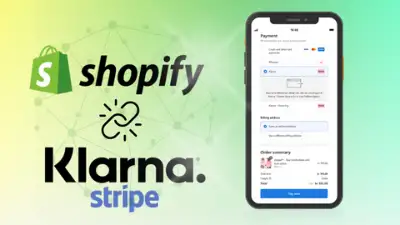
Klarna with Stripe transforms conversion in premium dropshipping by eliminating the upfront cost barrier at checkout — the primary reason shoppers abandon premium product purchases
Klarna is one of the world's largest Buy now, pay later providers, operating in 45+ markets with 150+ million active consumers. Stripe is the dominant payment infrastructure powering millions of businesses globally. When you activate Klarna with Stripe in your Shopify store, customers see Klarna's BNPL options — Pay in instalments, Pay in 30 days, or longer financing — directly at checkout. Stripe handles the transaction and credits you the full order value immediately. Klarna manages the repayment relationship with your customer and takes on the default risk.
For Shopify dropshippers, this payment model is especially powerful. Dropshipping typically involves longer delivery times and higher product prices than fast-moving consumer goods. Klarna eliminates the primary psychological barrier — paying the full price before the product arrives. When a customer can split a £150 electronics purchase into three monthly instalments, hesitation disappears. Combine this with Stripe's reliable payment infrastructure and Shopify's native checkout, and you have a conversion stack built for high-value dropshipping.

There is no single installation path for Klarna on Shopify. The integration you use depends on your Stripe account status, your eligibility for Shopify Payments, your market, and how much control you want over the checkout experience. Here are the four options — ranked by recommendation.
The CartDNA Klarna by Stripe app is the only Shopify-certified integration that adds Klarna's BNPL directly to the native Shopify checkout experience. Available in the Shopify App Store, it connects your Stripe account (with Klarna enabled) to your Shopify store — presenting Klarna's Pay in instalments, Pay in 30 days, and financing options at checkout, without customers leaving your store or being redirected to a third-party payment screen. This is the recommended configuration for Shopify dropshippers who want maximum conversion with Klarna without writing code.
For most Shopify dropshippers, the CartDNA Klarna by Stripe app is the fastest path to BNPL at checkout — no custom development, no redirects, no complex middleware. Install, connect your Stripe account, and Klarna appears in your checkout.
If your Shopify store already uses Stripe as the payment gateway (via a Stripe integration, not Shopify Payments), you can enable Klarna directly in the Stripe dashboard. Stripe supports Klarna in 25+ markets including the UK, US, Germany, France, Australia, Sweden. Once enabled, Klarna appears as a payment option within your Stripe integration. You still need to make it visible in the Shopify checkout — this is where the CartDNA app or a custom integration comes in.
In certain markets, Shopify Payments includes Klarna as a native Buy now, pay later option that activates directly in Shopify Payments settings — no separate Stripe account needed. This is the simplest Klarna configuration: one provider, one dashboard, automatic display at checkout. Currently available in the UK, US, Canada, Germany, Australia, and some European markets for stores using Shopify Payments as their primary gateway.
Stripe's full API supports Klarna as a payment method object, letting developers build fully custom checkout flows that surface Klarna alongside other payment methods. This approach gives maximum control over Klarna presentation, styling, and checkout logic — and is particularly useful for Shopify dropshippers managing headless storefronts, custom checkout extensions, or complex multi-currency/multi-market configurations where off-the-shelf apps don't cover specific cases.

Not every Klarna configuration suits every Shopify dropshipping store. Use this comparison to identify which path fits your current setup and technical resources.
| Integration method | Ideal for | Key advantage | Complexity |
|---|---|---|---|
| CartDNA Klarna by Stripe app | All Shopify dropshippers using Stripe | Native BNPL at checkout — no code, no redirects | Low — install and connect Stripe |
| Klarna via Stripe dashboard | Existing Stripe merchants building custom checkout | One Stripe account covers all markets | Low to medium — requires CartDNA or custom frontend |
| Shopify Payments + Klarna | UK, US, AU, DE merchants on Shopify Payments | Simplest setup — no separate gateway required | Low — simple toggle in settings |
| Custom Stripe API | Headless stores or complex multi-market dropshipping | Full control over Klarna presentation and checkout logic | High — developer required |
CartDNA Recommendation: If you use Stripe as your Shopify payment gateway, install the CartDNA Klarna by Stripe app — it is the fastest path to native Klarna at checkout without coding. If you are on Shopify Payments in a supported market, enable Klarna in Shopify Payments settings. Consider the custom API only if you are running a headless store or have bespoke checkout requirements.

Klarna's BNPL is not a universal conversion booster — it works best in specific product and market contexts. Adding Klarna to a store selling £10 impulse items changes little. Adding it to a store selling £150 home décor or £300 electronics makes a real difference. Here is when Klarna with Stripe is worth implementing for your Shopify dropshipping setup.
If your store primarily sells sub-£30 impulse items with fast delivery, Klarna will not have meaningful impact on your conversion rate. The BNPL value proposition — spreading cost over time — does not resonate when the purchase price is already frictionless. In that case, focus on optimising your card checkout and wallet payments (Apple Pay, Google Pay) rather than adding BNPL complexity.
Follow this checklist before launching Klarna in your Shopify dropshipping store to avoid the most common activation issues.

No — Klarna with Stripe is available in 25+ countries including the UK, US, Germany, France, Sweden, Australia, Canada, and most of Western Europe. If your Shopify store is registered in an unsupported market, you cannot activate Klarna with Stripe, though this is expanding as Stripe broadens Klarna coverage. Check Stripe's current Klarna availability page before starting your setup to avoid discovering the limitation mid-integration.
Klarna with Stripe is cash flow neutral for the merchant — you receive the full payment amount from Stripe on your normal payout schedule, regardless of how the customer repays Klarna. If a customer chooses Pay in instalments and misses a payment, that is Klarna's risk, not yours. This is one of the key advantages of the Klarna with Stripe model for dropshippers who need predictable cash flow to pay their suppliers: your payout schedule is determined entirely by Stripe's normal settlement process, not by customer repayment behaviour.
The biggest conversion lift with Klarna appears in product categories where the basket creates natural hesitation: fashion and clothing (especially premium or designer items), consumer electronics and gadgets, home and furniture, health and beauty (premium skincare, wellness equipment), fitness and sports equipment, and pet products. If your dropshipping store's average basket regularly exceeds £60/US$75, configuring Klarna is likely worth the investment. Below that price point, BNPL's convenience factor does not outweigh the additional step in checkout for most shoppers.
With the CartDNA Klarna by Stripe app, the technical setup takes under 30 minutes once your Stripe account has Klarna enabled: install the CartDNA app from the Shopify App Store, connect your Stripe API keys, select your Klarna products (Pay in instalments, Pay in 30 days), and go live. The only step requiring additional time is the Klarna activation process on Stripe — typically 1–2 business days for new activations in supported markets. If you already use Shopify Payments in a market that natively supports Klarna, setup is even faster — just a single toggle in your Shopify Payments settings.
The Shopify-certified CartDNA Klarna by Stripe app adds Buy now, pay later natively to your Shopify checkout in under 30 minutes — no custom coding, no redirects, no complex middleware. Connect your Stripe account, choose your Klarna products, and go live.
